5 Shopify Checkout Settings Killing Your Conversion Rate (And How to Fix Each One)

Most Shopify owners obsess over their product pages, their ad creative, their email flows. They'll A/B test a hero image for two weeks. But the checkout page, where the sales happens and also what happens after that, they set up once during onboarding and never touch again.
Shoppers don't abandon checkout because they changed their mind about your product. They abandoned it because something in the checkout flow made them hesitate, second-guess, or get distracted long enough to close the tab. Every one of those friction points is a setting you can change in five minutes.
Below are the five worst offenders. Each one has a fix, and the fix is almost always free.
1. Customer Accounts Set to "Required"
Fix: Switch customer accounts to "optional" or "guest checkout only." Settings → Checkout → Customer accounts.
Forced account creation is just silly especially if you're a brand just starting off. Roughly 24 percent of shoppers will quit a checkout the moment they're asked to register. They came to buy a thing, not to manage another login.
If you're requiring accounts because you want repeat customers, you have it backwards. People come back because they had a good experience, not because they were forced into a database. Let them check out as guests, then send a "create your account" email after the order ships. You'll get the same data without losing the sale.
2. SMS Marketing Consent Not Enabled at Checkout
Fix: Settings → Checkout → Customer contact method → Enable SMS consent checkbox.
This one is sneaky because your checkout works fine without it ... you just leave money on the table every single day.
When SMS consent isn't enabled at checkout, you have no way to legally text customers who abandon their cart. No follow-up text means no recovery. And email recovery alone caps out around 10 percent recovery rate — text recovery typically does 2 to 3x that.
The setting takes 30 seconds to enable. Once it's on, every shopper who enters their phone number gets the option to opt in, and you start building a list of people you can actually reach. (For the full walkthrough including the legal language Shopify auto-generates, see our SMS marketing setup guide.)
3. Shipping Costs Hidden Until Checkout
Fix: Show shipping costs (or a free shipping threshold) on product pages and in the cart.
Surprise shipping costs are the number one reason carts get abandoned at checkout.
A shopper who sees a $40 product and a $40 cart subtotal expects to pay $40-something at checkout. When they hit the final page and see $52.99, the brain reads that as "I just got upsold by $13" and they bounce.
Two ways to fix this. Best option: offer free shipping over a threshold ("Free shipping on orders $50+") and display it on the product page. Second option: add a Shopify shipping calculator widget to the cart so people see the real total before they get to checkout. The point being is that you want to minimize surprises as much as possible, so be up front about what any additional fees that my get tacked on.
4. Too Many Form Fields
Fix: Enable Shop Pay, Apple Pay, and Google Pay. Settings → Payments → Express checkout.
Every additional form field in your checkout drops conversion by roughly 7 percent. The standard Shopify checkout has eight required fields. Do the math.
Express checkout options like Shop Pay, Apple Pay, and Google Pay collapse all of that into a single tap. The customer's name, address, and payment info auto-populate from their device or Shopify account. You go from eight fields to zero.
Turn them all on. There's no downside — Shopify doesn't charge extra for them, and the conversion lift is one of the easiest wins you'll ever get on your store. Stores that enable Shop Pay alone typically see a 9 to 10 percent lift in checkout completion.
5. No Trust Signals at Checkout
Fix: Add a return policy link, security badges, and accepted-payment logos to your checkout footer.
Your checkout might look fine to you, but to a first-time buyer it's a stranger asking for their credit card number. Trust signals at checkout exist for one reason: to remind a nervous shopper that they're not about to get scammed.
The three that matter most:
Return policy link. Even a basic 30-day return policy reduces hesitation. Link to it from the checkout footer.
Payment logos. The Visa, Mastercard, Amex, PayPal logos. Looks small. Isn't.
Security badge. The Shopify-secured badge or a basic SSL/Norton-style badge. It signals "your card info is safe here."
You can add all three through Shopify's checkout customization in five minutes. If you have a Shopify Plus plan, you can do even more, but the basics work fine on the standard plan.
Bonus Setting: No Abandoned Cart Recovery
At the end of the day, you can fix every setting above, get your checkout perfectly dialed in, and you'll still see 50 to 60 percent of your carts get abandoned.
Without an automated follow-up, those carts are gone forever.
This is the gap Matrucart was built to fill. It connects to your Shopify store in two clicks and sends an automated SMS to abandoned carts within 30 minutes when the shopper still remembers what they were looking at. No commission on recovered sales and or high monthly minimums. Just a flat monthly fee and transparent credit-based pricing.
If you've already fixed the five settings above and you're still watching carts disappear, automated SMS recovery is the next move.

Email vs SMS for Abandoned Cart Recovery: Which is better for your small Shopify store?
Does your Small Shopify store need email or SMS for cart recovery?
Read Full Story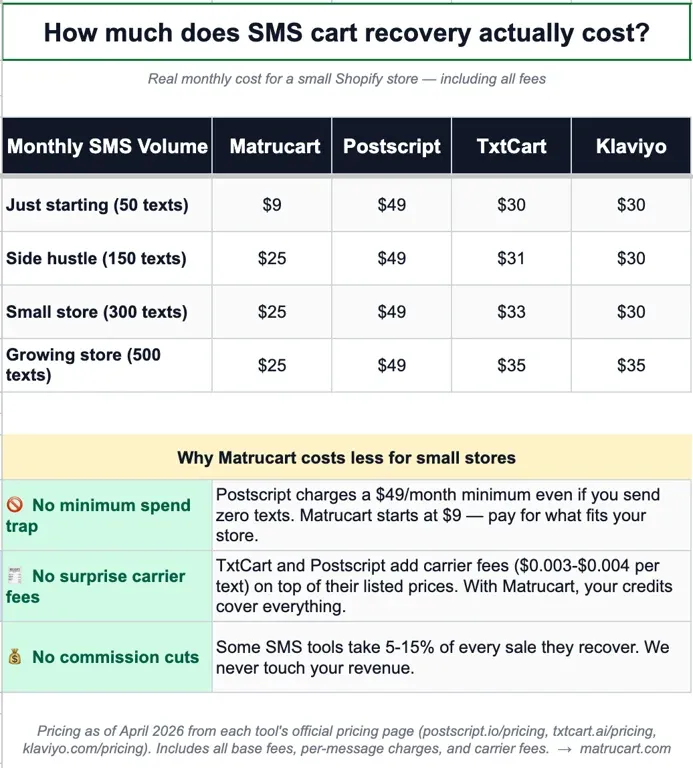
Best Affordable Abandoned Cart Apps for Shopify Stores doing less than $50K in revenue.
Are you just starting off your brand? What really is the best abandoned cart recovery tool to use for your Shopify store?
Read Full Story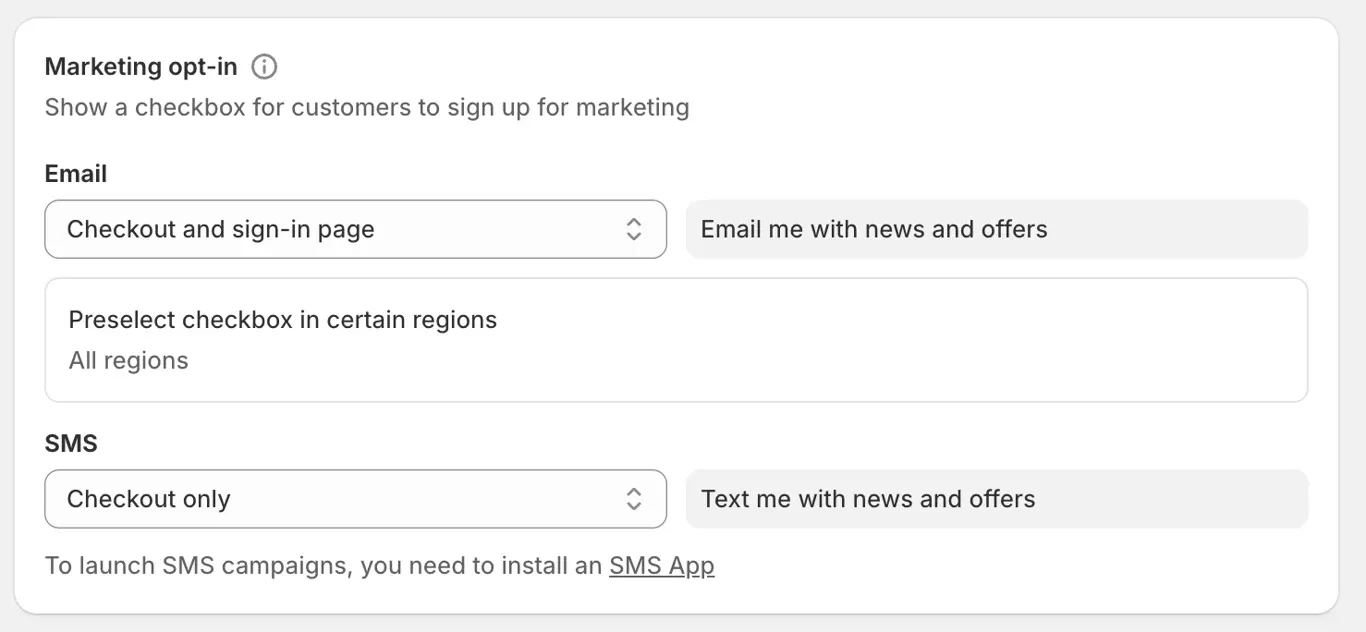
A Small Shopify Store's Guide to SMS Marketing
how you can ensure your Shopify Store is setup for SMS Marketing success. Gather SMS Consent to reach out to customers that were so close to purhcasing.
Read Full Story